

Best free browser games in 2026
No installation. No forced updates. No mandatory account. The best thinking games of 2026 are playable directly in your browser, on any device, from anywhere. Here is our full selection — free to start.
Why play in the browser?
Browser gaming has seen a major comeback in recent years. Early web games were often slow and unreliable, but modern technologies like WebAssembly, Canvas, and WebGL now deliver experiences close to native apps.
The practical benefits are clear. No install: click a link and start immediately. All-device compatible: the same game runs on desktop, tablet, and smartphone. Cloud sync: with an account, progress follows you across devices. Instant sharing: send a link and someone can play in seconds.
For logic, memory, and puzzle games, browser is often ideal. These formats do not require ultra-heavy graphics; what matters most is smooth interface flow and solid game design.
Browser thinking games vs mobile apps
Comparing browser games and mobile apps reveals differences that often favor browser play for puzzle and logic titles.
No forced updates. On mobile apps, you can be blocked by mandatory updates before playing. Browser games stay up to date automatically with no interruption on your side.
Fewer intrusive notifications. Mobile apps are designed to call you back. Browser play stays quieter: you play when you choose, not when push notifications decide.
Instant access from any computer. At work, at a friend’s place, or on a shared machine, one URL is enough. No app store login, no installation delay.
Same catalog as the app. On Kognify, browser and Android include the same games with shared progression sync.
Our selection of 9 free no-download demos
Kognify offers 9 free demos you can open right away in your browser, even before creating an account. They cover 6 different game domains for balanced variety:
How to access premium games in browser
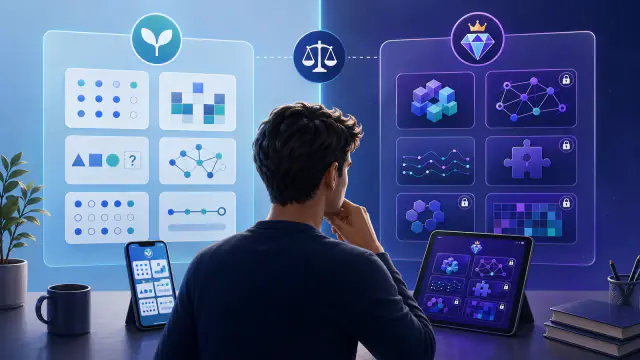
Kognify also includes a Premium catalog of 33 additional Premium games, available in browser with the same subscription as Android. Kakuro, Nonogram, Logic Circuit, Tangram, Matrices, Magic Squares — the full catalog is listed on kognify-games.com/jeux.
Premium access is shared across platforms. If you subscribe in browser through Stripe, you also unlock the full Android catalog with the same account. A new account starts free, and you can try Premium free for 7 days if you are eligible (auto-renews unless cancelled, cancel anytime).
- Use full screen (F11 on PC) to remove distractions and stay focused.
- Use headphones for games with audio feedback, it improves immersion.
- Mute browser notifications before a session to avoid interruptions.
- Bookmark the page so you can open Kognify in one click anywhere.
- Take regular breaks: 15-20 minute sessions are usually more effective than very long sessions.
Frequently asked questions
Do I need to download anything to play on Kognify?
No download is required. Kognify runs entirely in your browser. Open kognify-games.com from any device and start playing instantly, with no signup required.
Are browser games as good as mobile apps?
For logic and thinking games, browser play is often equivalent or better. Kognify offers the same catalog in browser and Android, with synchronized progress through your cloud account.
How many free games are available on Kognify?
Kognify offers 46 free games, including Memory Classic, Anagrams, False Recognition, Synonyms Sprint, Hidden Links, Logic Deduction, Code Breaker, Mental Math, Quick Approximations, and Visual Countdown. No credit card is required.
Do browser games work on tablets and smartphones?
Yes. Kognify is fully responsive. Games adapt to large monitors, tablets, and smartphones automatically. Touch interactions are optimized for mobile and tablet devices.
Is my progress saved between sessions?
With a free Kognify account, your progress, scores, and daily streak are synced in the cloud. You can continue exactly where you left off, in browser or in the Android app.
46 free thinking games and 9 demos with no signup, no download. Start now.
🧠 Launch gamesNo installation · Free 7-day Premium trial on request